As UX Lead, I shaped an AI-assisted experience that made integration work easier to understand without hiding the technical depth users still needed. The concept introduced a conversational assistant that could explain failed integrations, identify missing setup steps, guide troubleshooting, and help users create new integration processes from a prompt.
Integration work is technical by nature. Users often need to understand mappings, APIs, errors, logs, validations, and process rules before they can fix an issue or build a new flow.The challenge was to make this easier without hiding the complexity.
The primary users were integration developers, implementation teams, support teams, and business users who needed visibility into integration health without reading technical logs.
These users had different levels of technical confidence, so the experience had to support both deep troubleshooting and plain-language explanation.
I led the UX direction for the AI-assisted experience. My work focused on translating technical integration problems into guided interaction patterns that felt useful, understandable, and trustworthy.
I owned the chat flow structure, the troubleshooting journey, the process-creation path, and the alignment between product, engineering, architecture, and support. I also defined how the assistant should explain issues, suggest next steps, and help users move from error detection to resolution.
I broke the experience into two high-value AI use cases.
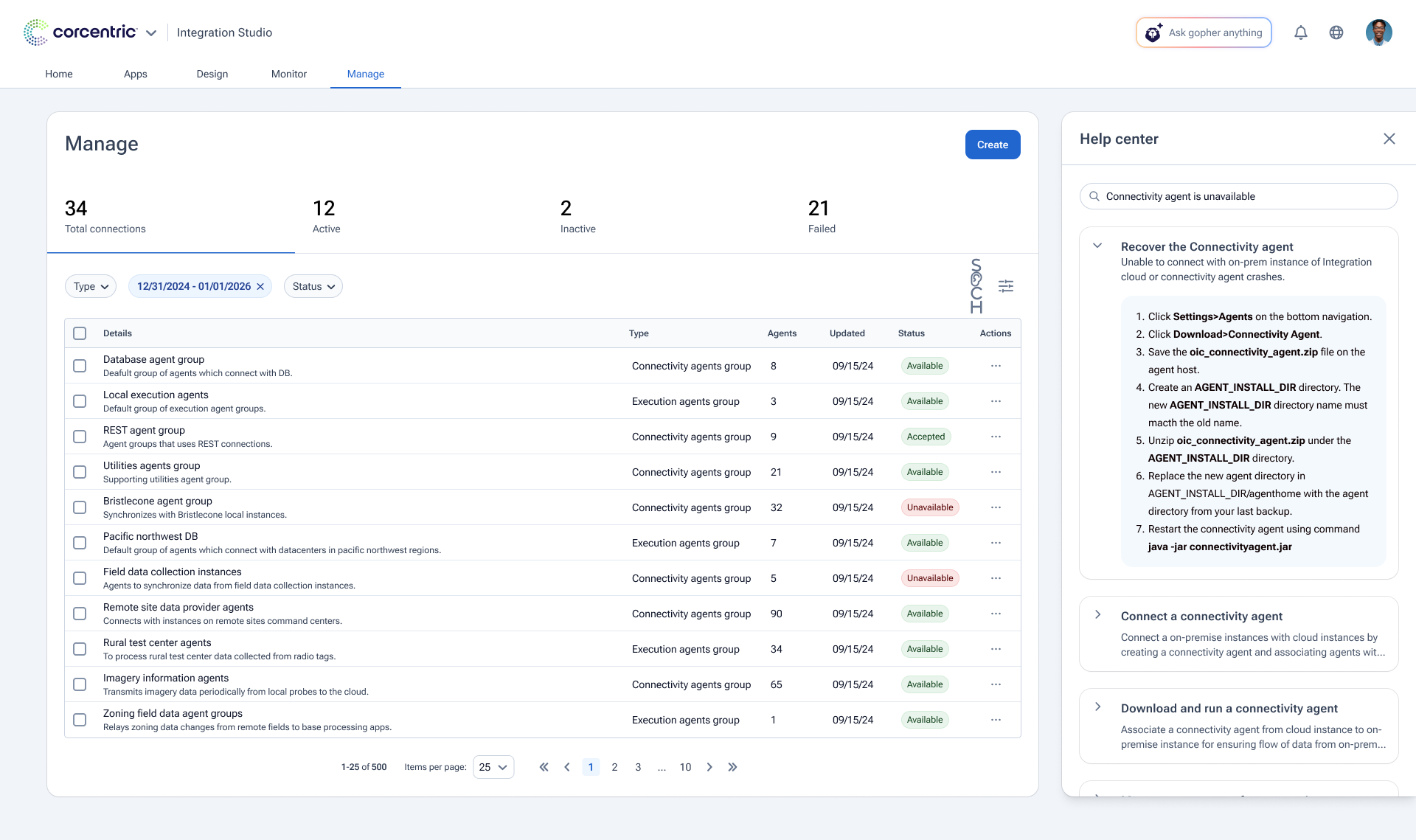
The first was error resolution. Users could ask the assistant about failed integrations, error messages, mapping issues, missing fields, and validation failures. The assistant would explain the issue in plain language and guide the user toward a fix.
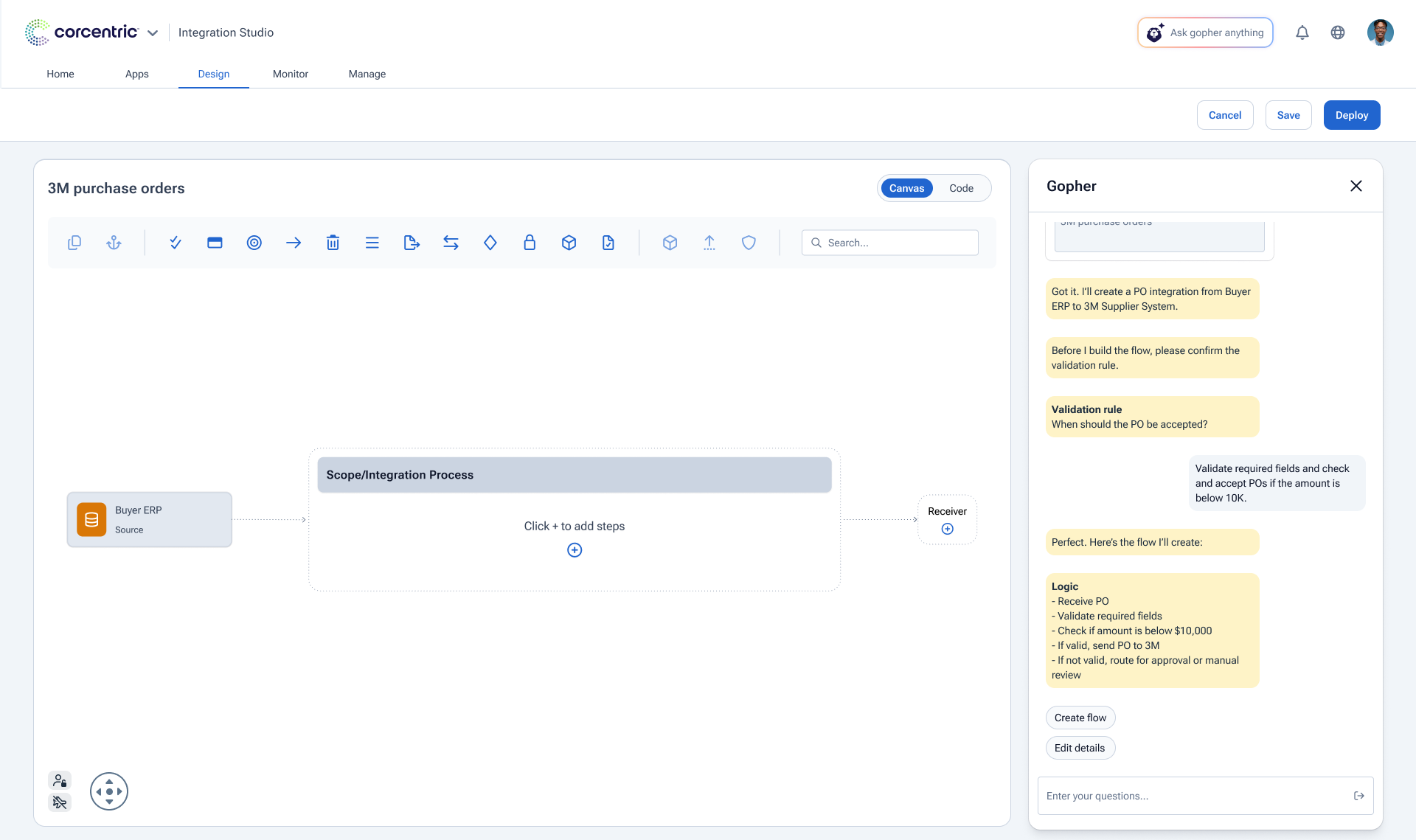
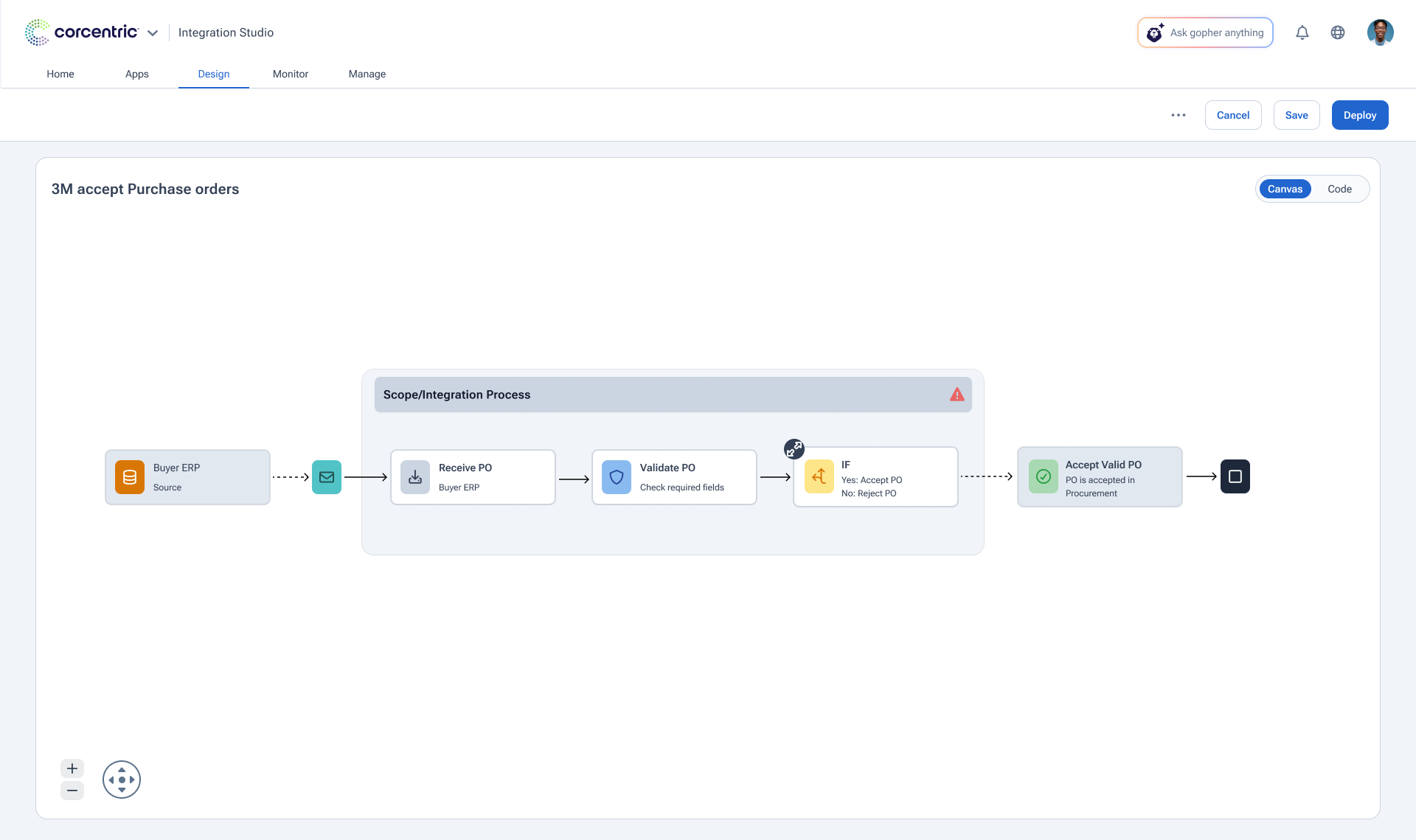
The second was process creation. Users could describe the integration process they wanted to build, and the assistant would help generate or guide the setup flow instead of forcing users to start from a blank configuration.
The key UX decision was to position AI as a guided layer inside the integration workspace, not as a black-box automation layer. Users still needed to understand the system, review recommendations, and control the outcome.
The final solution made Cloud Integration Studio feel less like a technical control room and more like a guided workspace. The assistant supported troubleshooting, setup guidance, error interpretation, and process creation in one conversational surface.
Instead of making users search through logs or documentation first, the experience helped them ask a question, understand what failed, identify the missing step, and continue with a clearer path forward.
The solution created a stronger foundation for AI-supported integration workflows.
It helped users troubleshoot faster, understand errors more clearly, and begin new integration processes with support instead of starting from an empty setup.
For the full case study and additional information, please reach out to raghuraik44@gmail.com


