A visual explorer that turns design tokens into a shape you can see
.svg)
A design system has a shape. Token Space shows it: drop in your exported tokens and walk around them in 3D.
I was asked to explain our design system in three minutes.
Drop in tokens exported from Figma Variables and the system becomes something you can orbit, zoom and hover.
Published on GitHub. Reads tokens from Figma Variables, W3C DTCG, Style Dictionary, Tokens Studio, flat JSON or CSS custom properties, entirely in the browser.
Why I built it
I was asked to explain our design system in three minutes.
Swatches showed colors but not how they relate. The token table was accurate and impossible to read at a glance. Systems aren't lists. Colors cluster or leave gaps, ramps climb or stumble, scales step evenly or drift. So I put the values in space.
Who it's for
Designers and engineers who maintain or review a design system.
They use it for audits, design and engineering reviews, and for the moment someone asks for a quick explanation of how the system fits together.
The goal
Spreadsheets hide flaws. I wanted to see the whole system at once, and have problems point themselves out. Goals:
- Show colors, ramps, modes, spacing, type and radius in one explorable space.
- Flag near-duplicate colors, ramps out of order, off-grid spacing, type drift and tokens that never change between modes.
HOW IT WORKS
Drop in tokens exported from Figma Variables (or W3C DTCG, Style Dictionary, Tokens Studio, flat JSON or CSS custom properties) and the system becomes something you can orbit, zoom and hover. Files are read in the browser and nothing is uploaded. Here's what each view shows:
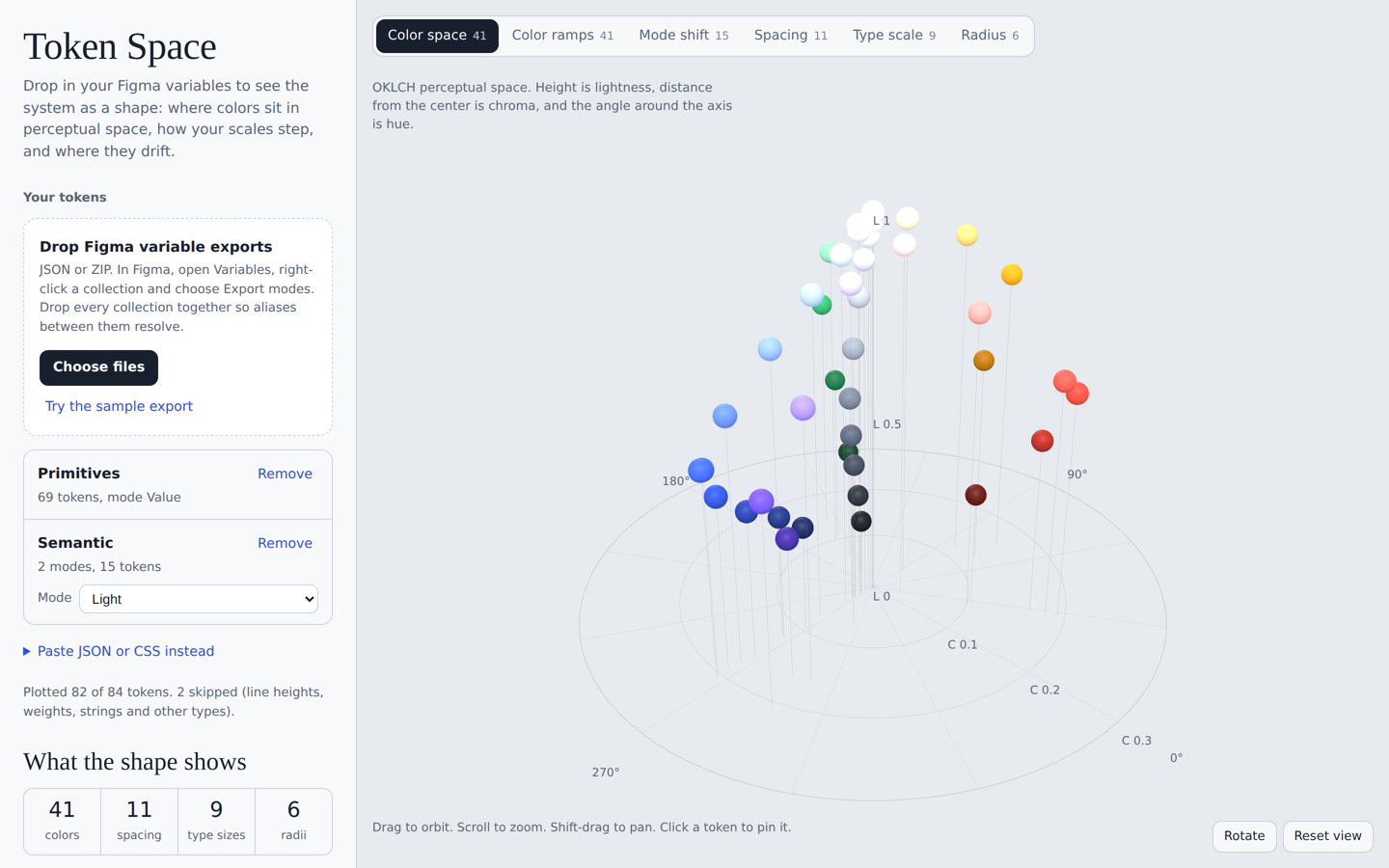
- Color space: Every color in OKLCH. Height is lightness, distance from center is chroma, angle is hue.
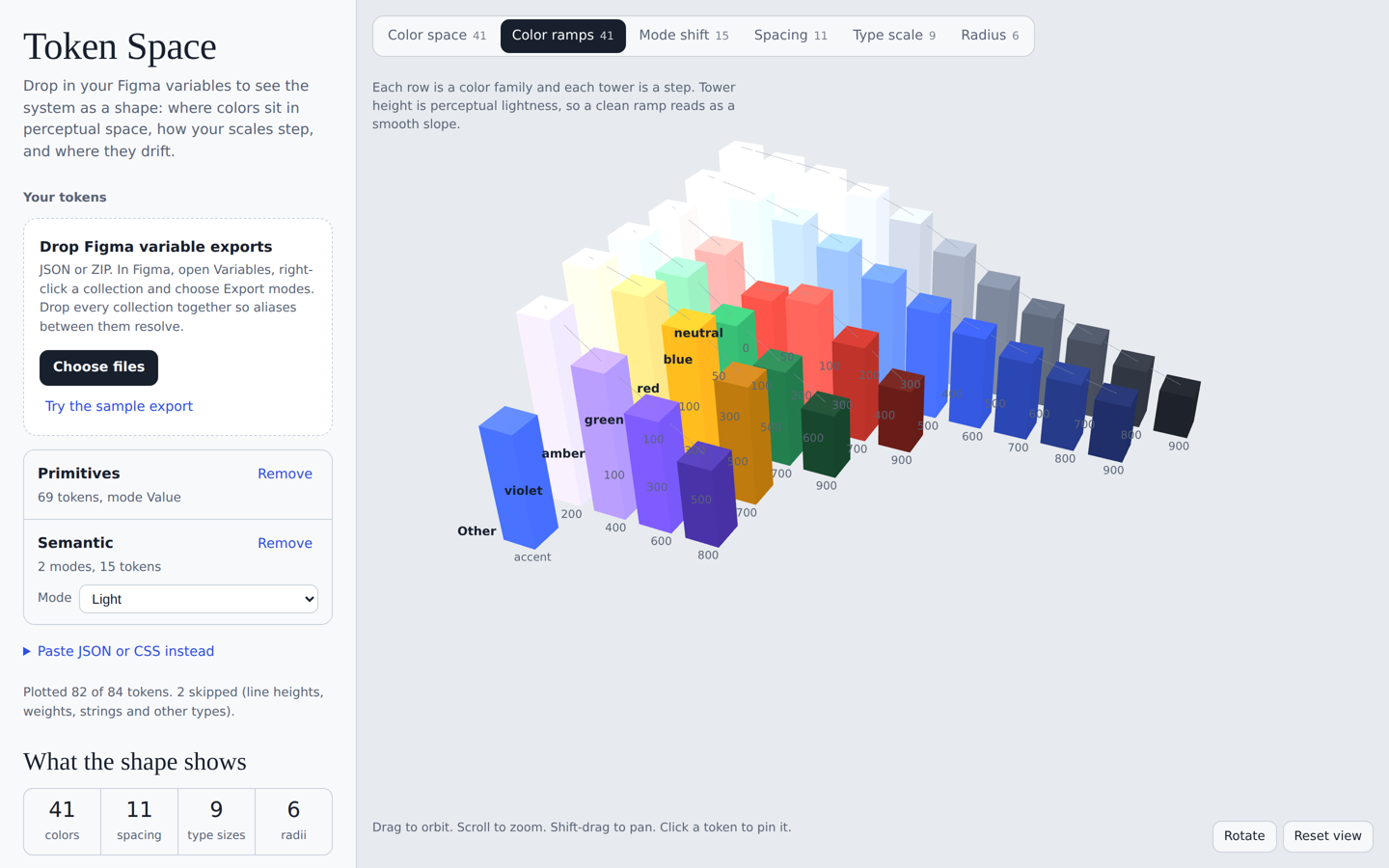
- Color ramps: Towers per color family. A good ramp reads as a smooth slope.
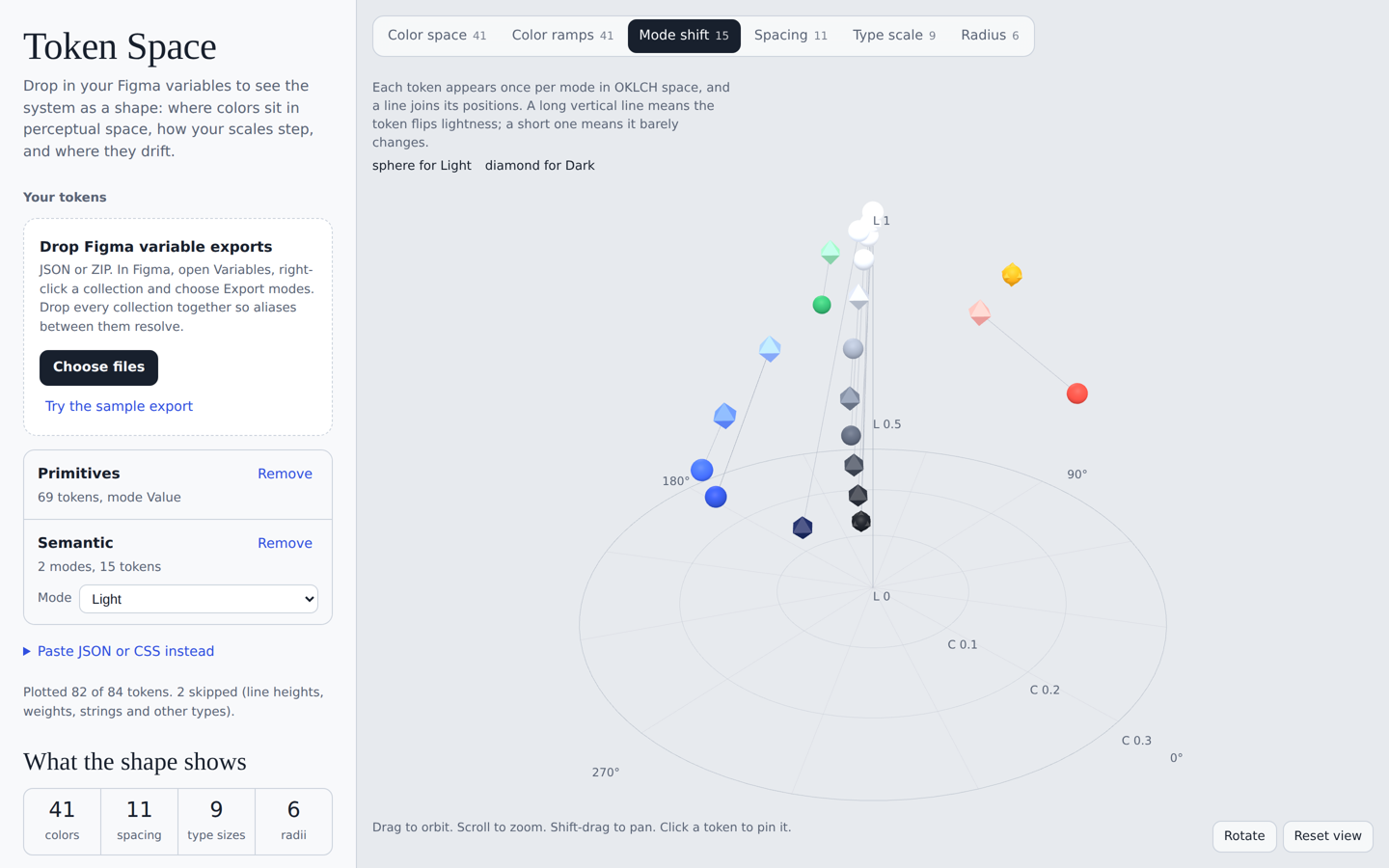
- Mode shift: Each semantic token per mode, joined by a line, so tokens that never move stand out.
- Spacing: Bars, with values off the 4px grid highlighted.
- Type scale: Font sizes stacked into a pyramid whose outline is the curve of the scale.
- Radius: Each corner radius drawn on a real tile.
- Checks: Near-duplicate colors, ramp order, spacing, type ratio and unchanged tokens are flagged.
What's next
Three things, all of them about removing the export step.