A Claude skill that explains a Figma file on one page
.svg)
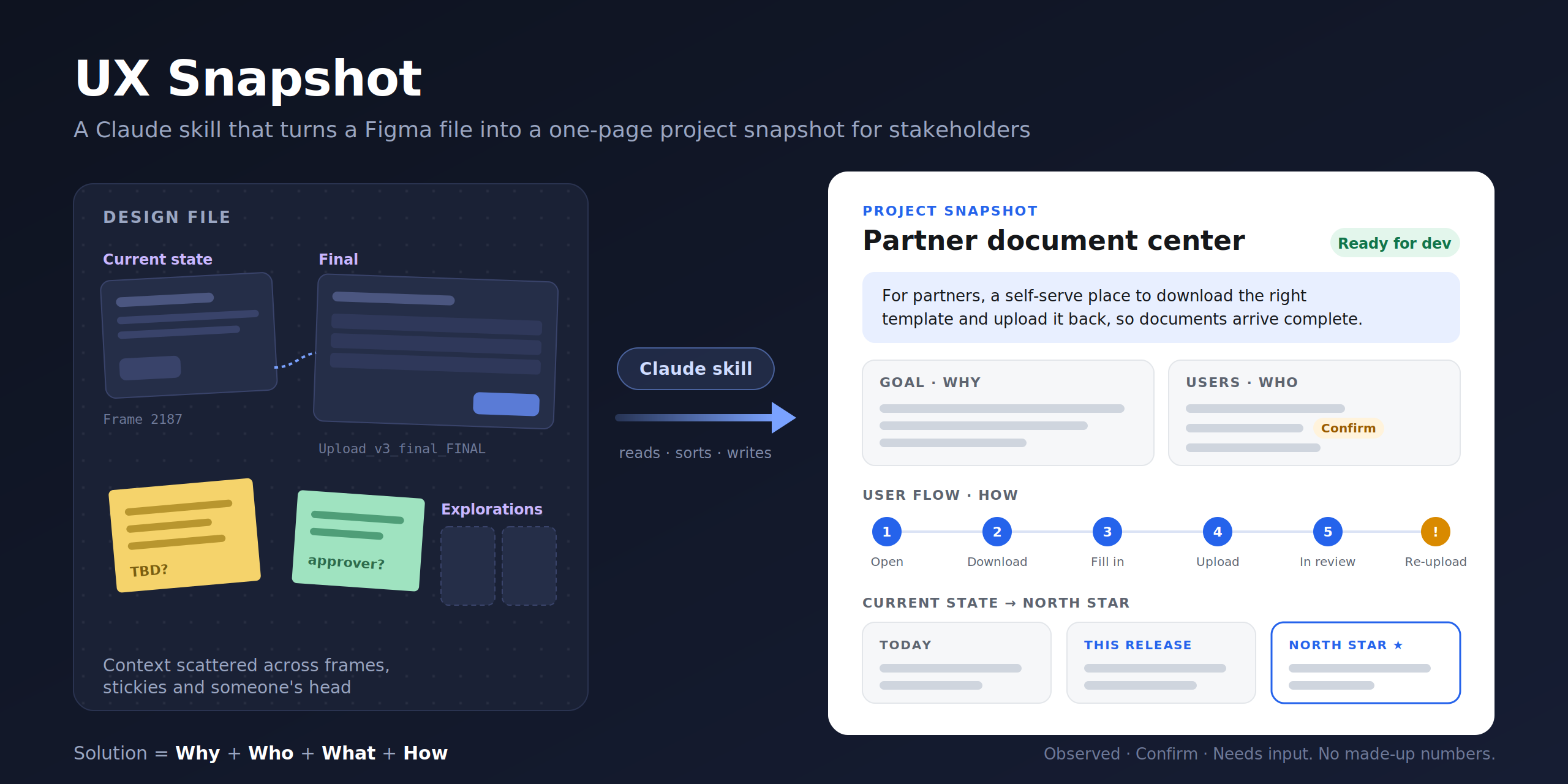
Design context hides in pages, sticky notes and frames named Upload_v3_final_FINAL. UX Snapshot is a Claude skill that writes the cover page every Figma file should have had.
From the outside, design files are opaque.
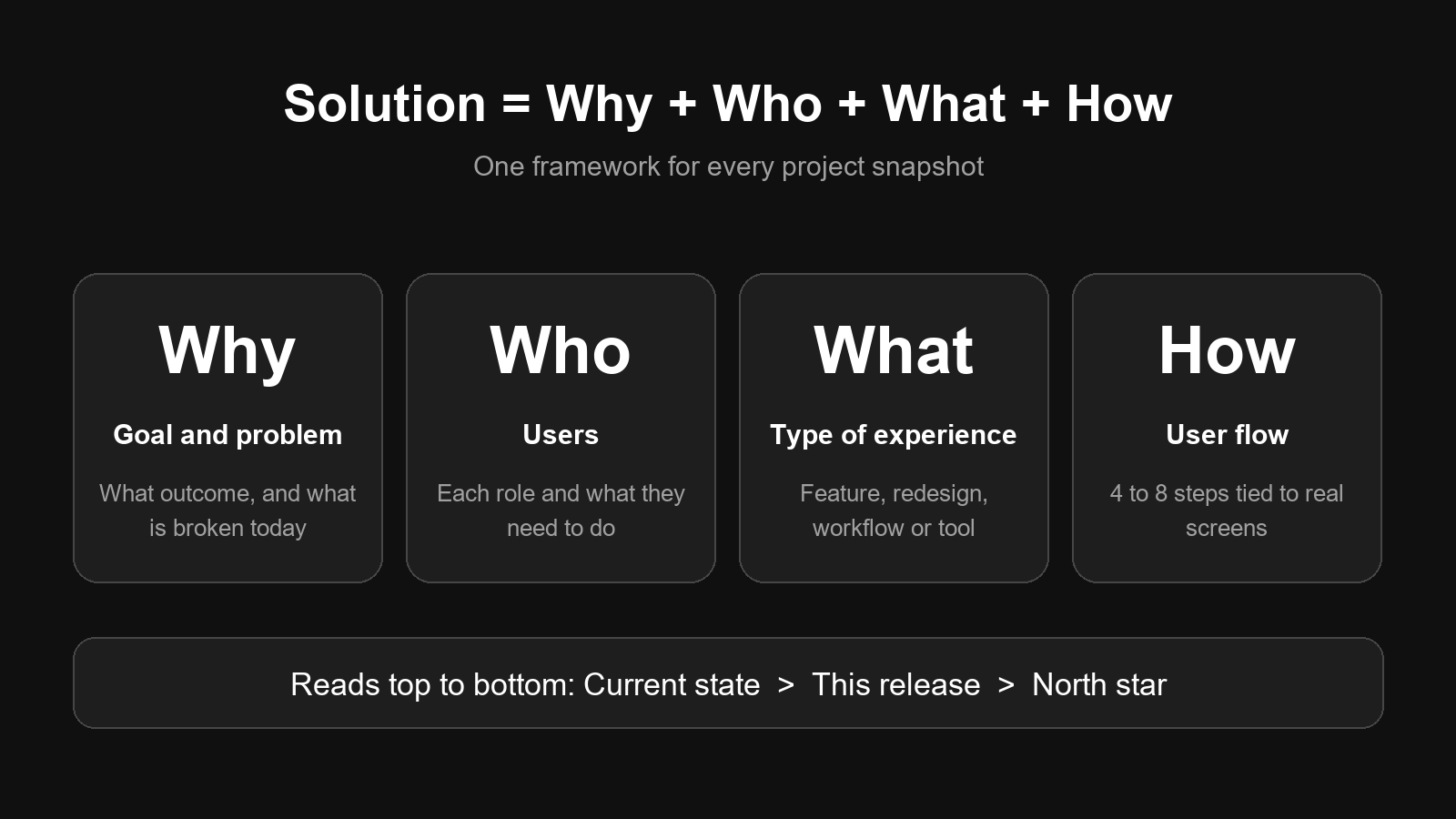
Every snapshot is built on one idea: Why + Who + What + How.
Published on GitHub. Point it at a Figma link and it adds the Project Snapshot page, first in the file.
Why I built it
From the outside, design files are opaque.
PMs, engineers and execs either book a walkthrough or skim and misread. Point Claude at a Figma link and it adds a Project Snapshot page, first in the file: why the project exists, who it's for, what's being built and how people will use it.
Who it's for
Designers who hand work to others, and the PMs, engineers, execs and new teammates who need context fast.
It's the page you send before a review, at kickoff, during handoff, or when someone joins the project.
The goal
Replace the orientation meeting with one page. Same framework every time, so stakeholders learn where to look. Goals:
- Make a file readable in two minutes without opening Figma or sitting through a walkthrough.
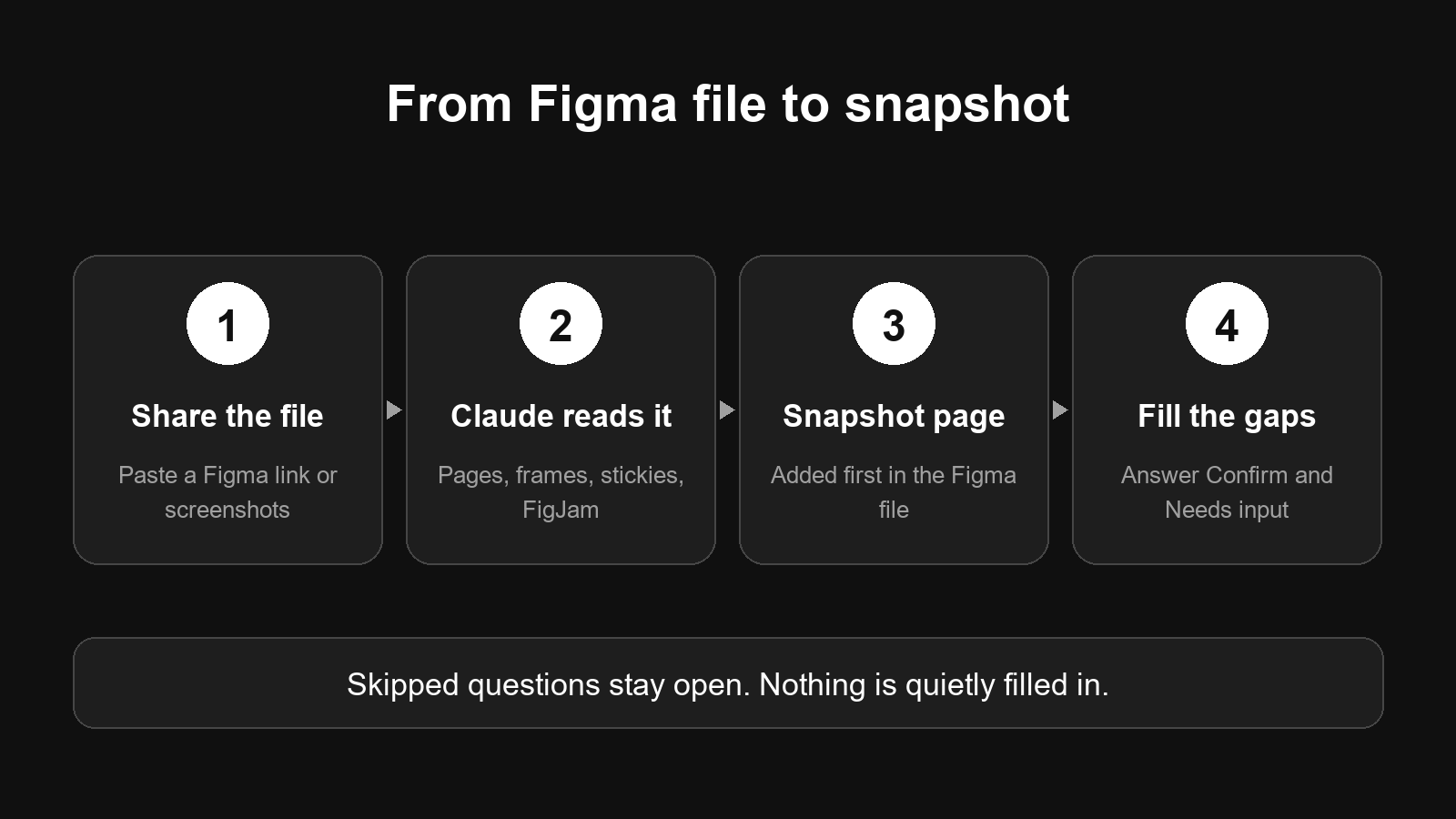
- Flag what the file doesn't show instead of guessing, with Confirm and Needs input items.
HOW IT WORKS
Every snapshot is built on one idea: Solution = Why + Who + What + How. Claude maps the file's pages, sections and frame names first, reads cover pages, sticky notes, annotations and FigJam boards, sorts frames by purpose, then builds the page in Figma. Here's what each section answers:
- TL;DR: The whole project in one sentence.
- Goal and Problem: The outcome we're after, and what's broken today.
- Users: Each role and what they need to get done.
- Type of experience: Net-new feature, redesign, workflow or admin tool, plus platform.
- User flow: Four to eight steps in the user's words, each linked to its screen.
- Current state to north star: Today, this release, and where it's heading.
- Decisions, open questions, risks: What's settled and what isn't.
What's next
Two things would close most of the remaining gaps.